PowerPoint Summarizer
Upload a presentation and get AI-powered summaries and analysis
Your Presentation
Drop a PDF or PPTX of your slides (drag & drop or click)
Try an Example
Load a sample presentation to see the tool in action
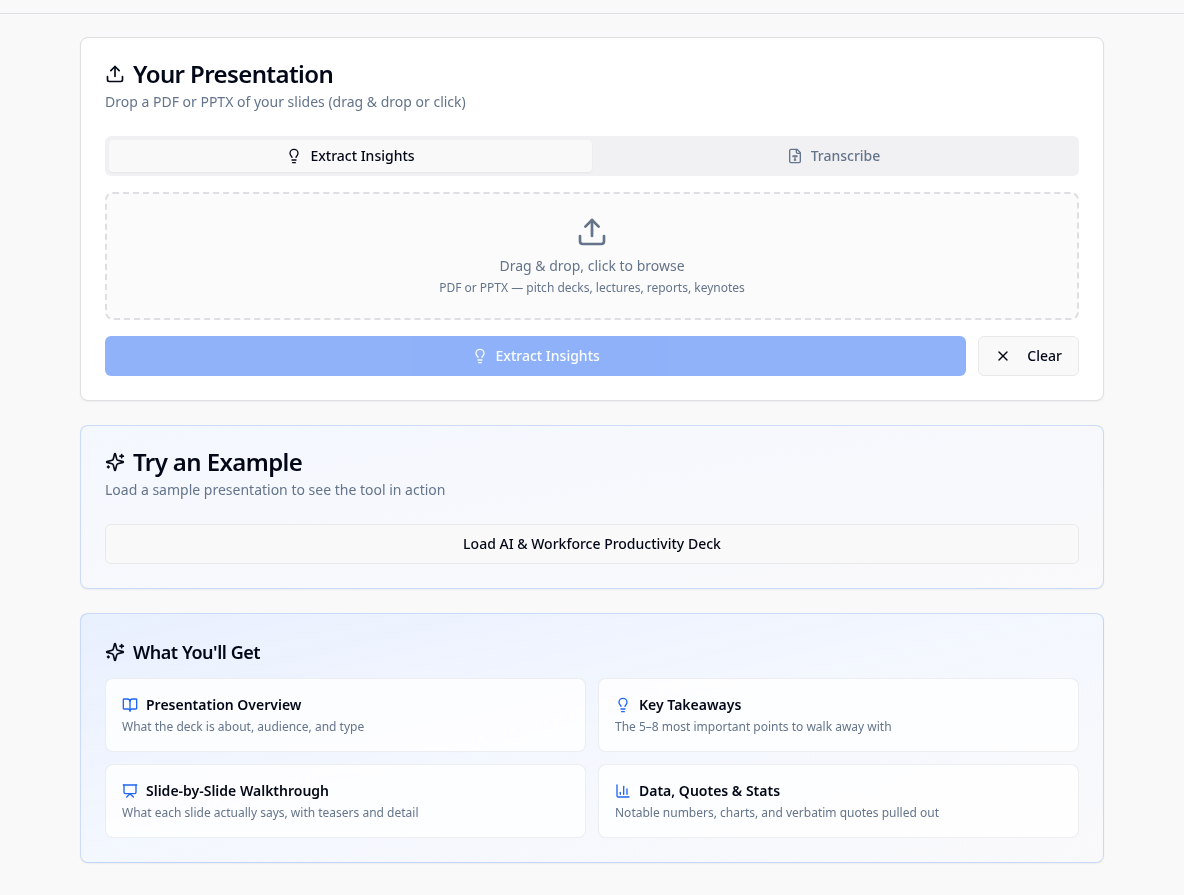
What You'll Get
Presentation Overview
What the deck is about, audience, and type
Key Takeaways
The 5–8 most important points to walk away with
Slide-by-Slide Walkthrough
What each slide actually says, with teasers and detail
Data, Quotes & Stats
Notable numbers, charts, and verbatim quotes pulled out

Summarize any PowerPoint deck — lectures, pitch decks, reports
Upload a PPT, PPTX, or PDF of your slides and the PowerPoint Summarizer reads every slide end to end, then hands it back as something you can actually use: a TL;DR, a presentation overview, the main argument, key takeaways, a slide-by-slide walkthrough, and the quotes and data points worth citing.
Because the summary is built from the deck's real text rather than its title slide, a 60-slide lecture becomes a two-minute brief — useful when you're prepping for an exam, vetting a pitch deck, or catching up on a meeting you missed.
Every slide, read end to end
The full deck text is extracted and analysed — a 60-slide lecture gets the same coverage as a 10-slide pitch, with nothing truncated mid-way.
Slide-by-slide walkthrough
Each slide is summarised individually with teasers and detail, so you can jump straight to the slide that matters instead of scrolling the whole deck.
Quotes, stats and data points pulled out
Notable numbers, charts and verbatim quotes are extracted separately, so you can cite a figure or check a claim without re-reading the source.
Three steps from deck to summary
Upload a deck, let every slide be read, then skim the TL;DR, jump into the slide-by-slide walkthrough and export — a 60-slide lecture becomes a two-minute read.
Upload your deck
Drop in a PPT, PPTX, or PDF — pitch decks, lectures, reports, keynotes. Or load the sample deck to try it instantly.
AI reads every slide
The full slide text is extracted and analysed end to end — structure, arguments, data and quotes.
Read, copy, export
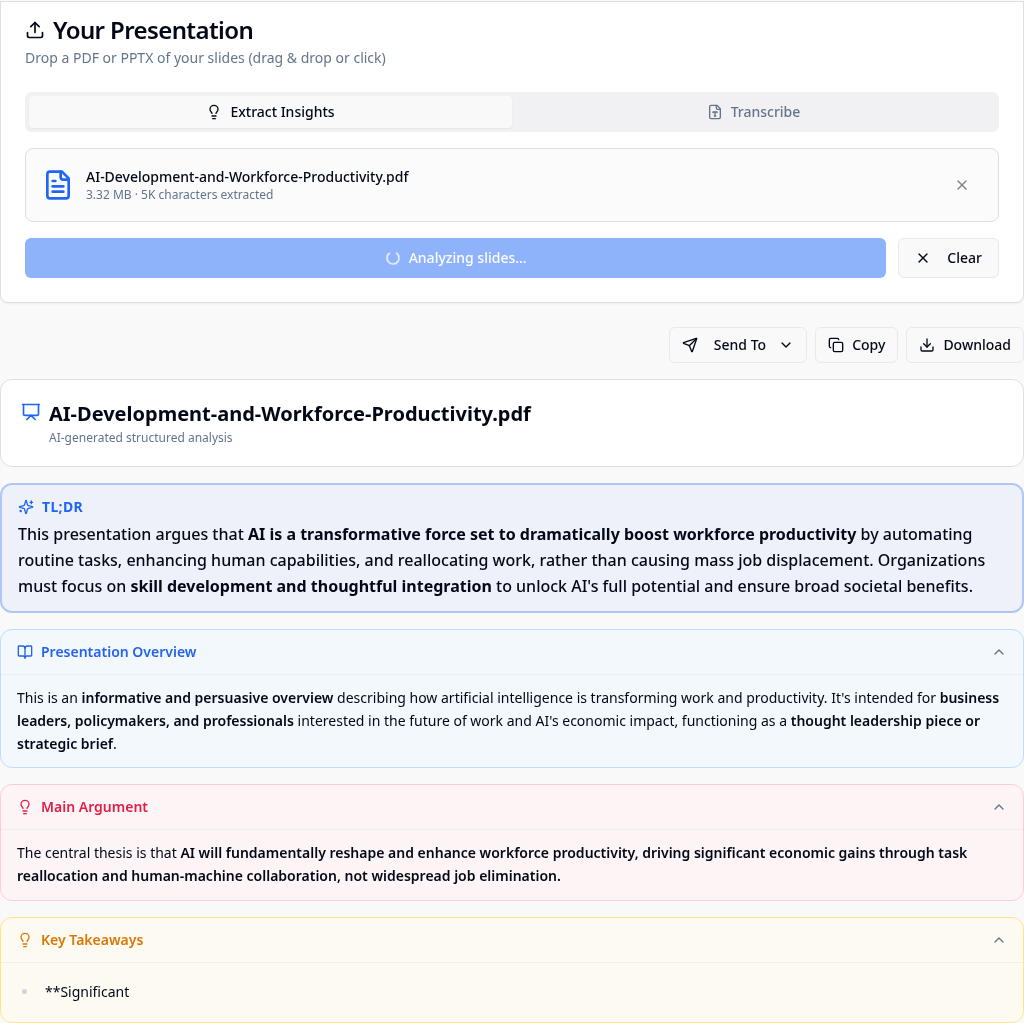
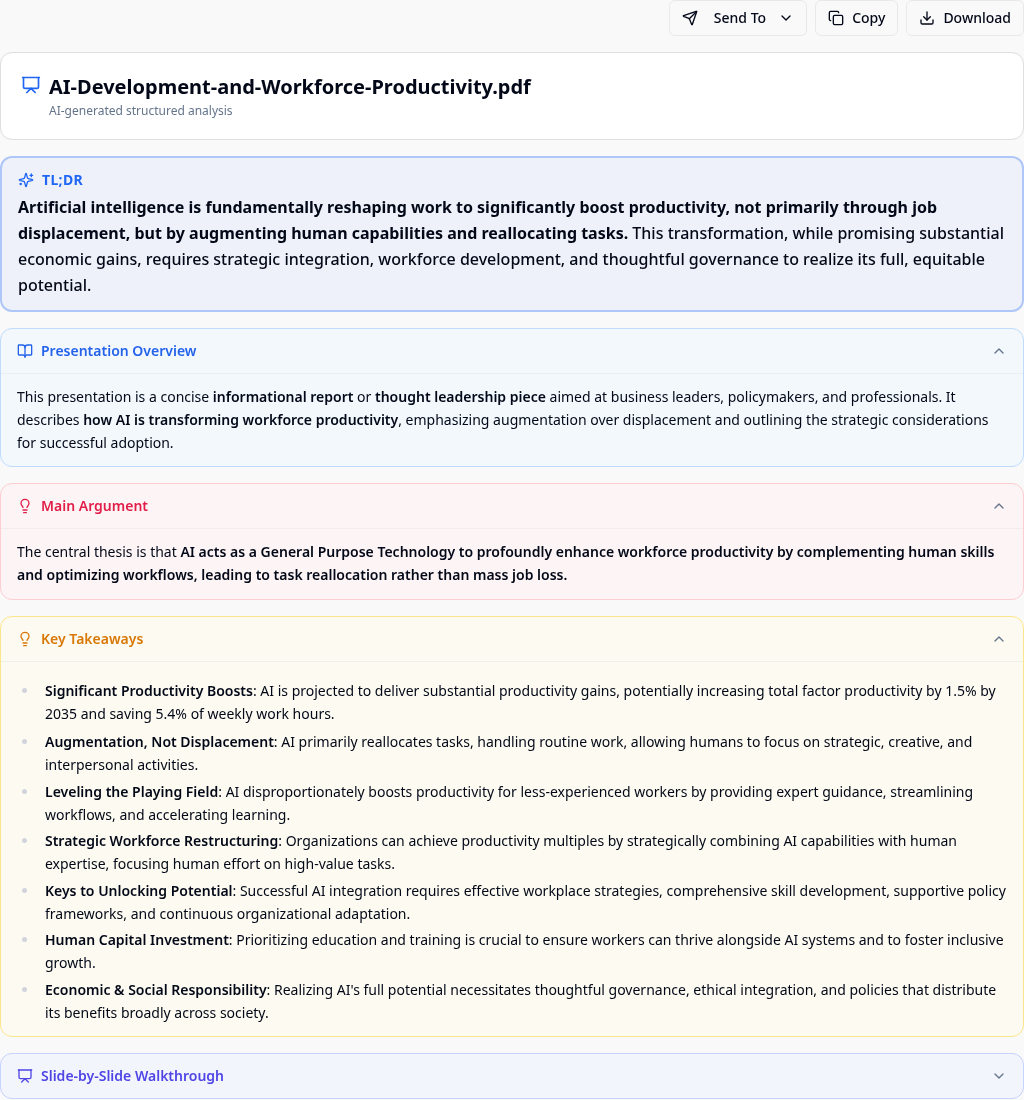
Skim the TL;DR, expand the slide-by-slide walkthrough, then copy it or send it straight to a document.
1 credit per summary
Each presentation you summarize costs a single credit, no matter how long the deck is — a 10-slide pitch and a 100-slide lecture cost the same.
Who gets the most out of it

Students
Turn a dense lecture deck into takeaways and a slide-by-slide brief before an exam — then export the summary into your notes.

Researchers
Triage conference slide decks fast — pull the key findings and data points from each presentation without sitting through every slide.

Bloggers & writers
Digest a long keynote or report deck in minutes and pull quotable lines and statistics to weave into your own posts.

Marketers & analysts
Vet competitor pitch decks and industry reports — get the main argument and numbers without reading every word.
See what a finished summary looks like
A real summary of a deck on AI and workforce productivity — TL;DR, presentation overview, main argument, key takeaways and a slide-by-slide walkthrough.
Frequently asked questions
- Yes — you can try it with the built-in sample deck, and free plans include daily summaries. Paid plans raise the daily limit and unlock the rest of the research toolkit.
Ready to summarize your first deck?
Upload a PPT, PPTX or PDF and get a TL;DR, takeaways and slide-by-slide walkthrough in under a minute — one credit per deck.